You can easily update your email address, password, postal address, payment details, and more from your TomTom account. Follow the steps below to manage everything in one place.
Sign in to your TomTom account
- Go to the TomTom login page and sign in with your email and password.
-
If you forgot your password, click “Forgot password” on the login screen. A password reset link is sent to your registered email.
If you don’t have an account, create one here:
https://www.tomtom.com/en_au/account/create.html
Update your profile details
-
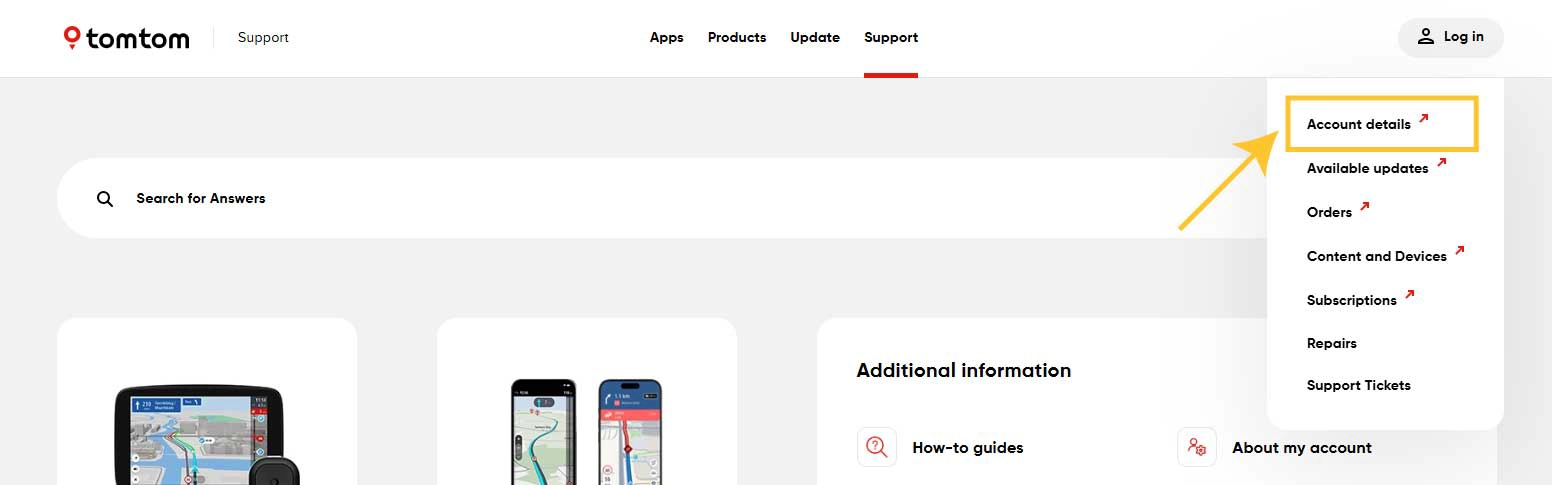
Click Account details.
-
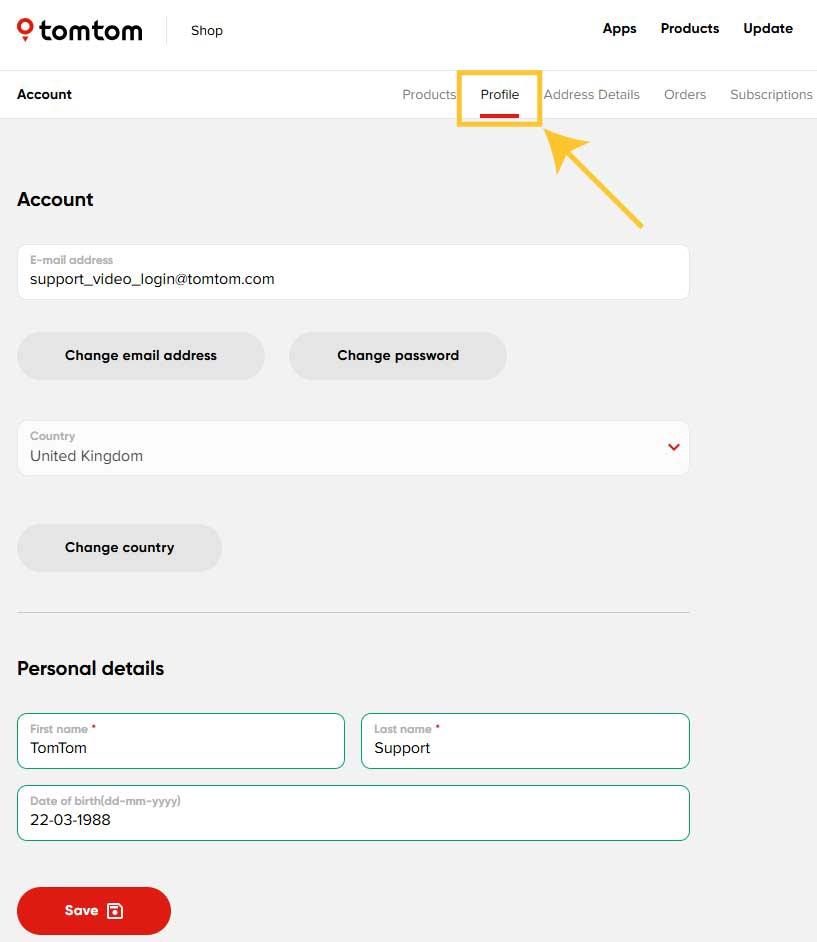
Select the Profile tab to:
- Change your email address
- Update your personal details
- Change your password
- Choose which email notifications you want to receive
Update your postal address
- Select the Address details tab.
- Change your postal address and save the changes.
Manage subscriptions
- Select the Subscriptions tab to:
- View all your active subscriptions
- Cancel auto-renewing subscriptions if needed
(See How to cancel an ongoing service subscription for more details.)
View or add TomTom products
- Select the Products tab to see all devices linked to your account.
- To add a new navigation device, follow the steps in Linking your navigation device to your TomTom account.
Check Orders, Repairs, and Support tickets
From your Account details page, you can also view:
- Your past orders
- Any ongoing or completed repairs
- Your previous support tickets
Unsubscribe from TomTom newsletters
If you want to unsubscribe from TomTom newsletters, click the unsubscribe link at the bottom of the newsletter then confirm your choice on the web page that opens.