macOS
The steps below refer to the Safari browser. If you are using another browser the steps may vary.
To install TomTom HOME on your Mac, you need to download the file to your computer. Follow these steps:
- Click the Download button below to download the latest version of TomTom HOME.
Download for Universal (macOS 10.14+)
Download for Intel macOS 10.14 & newer
Download for Apple Silicon (macOS 11+)
If your computer is running OS x versions 10.12 or 10.13 click here to download .
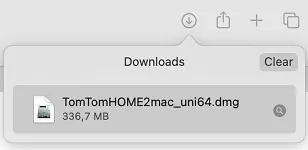
The download starts. When finished, TomTom HOME is saved in your downloads folder. - Click the Finder icon in the Dock to switch to Finder.

- From the Finder menu at the top of the screen, click Go and choose Downloads . Your Downloads folder opens.
- Double-click the TomTom HOME dmg installer file.
- Double-click TomTomHOME.mpkg . The TomTom HOME installer opens.
- Click Continue .
- To read the end user licence agreement, click the link www.tomtom.com/en-gb/legal .
- Click Continue . You are asked to agree to the terms of the software license agreement.
- Click Agree to continue.
- Click Install .
- Enter your admin password. If you are not allowed to administer the computer, contact the admin for the computer.
- Click Install Software . TomTom HOME is installed on your computer.
- Click Close .
After you have installed the software, click this link to see the steps for updating your device using TomTom HOME: Updating the software on your navigation device (TomTom HOME)
Watch the Video
This video shows you how to download and install TomTom HOME. In order to install TomTom HOME, you need to make sure that you have administration rights which will enable you to make changes on your computer. For more information about reinstalling Tomtom HOME click here .