You can install a purchased map on your device if it uses MyDrive Connect to update. Make sure you have the following before you begin:
- Your device is linked to your TomTom account
- You bought the map with the same TomTom account that is linked to your device
If your order is not activated, see: Order not activated after purchase.
Install the map
- Open MyDrive Connect and log in.
- Click the My Content tab at the top.
- Scroll down to My Maps.
You can see your active map and a list of maps available for your device, including the one you purchased.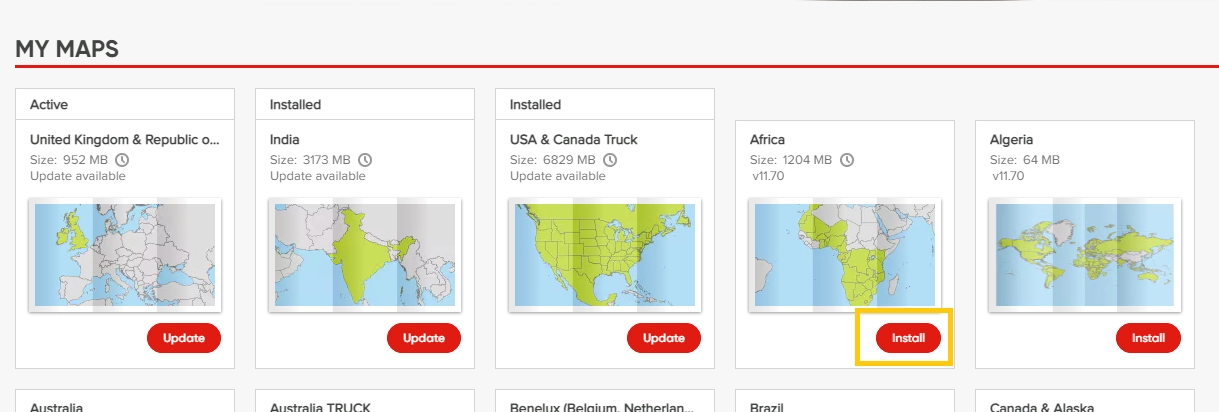
- Find the purchased map and click Install.
- Keep your device connected while MyDrive Connect downloads and installs the map.
Disconnect the device when the installation is complete.