The route bar is visible when you plan the route on your device. You may find the information about the arrival time at the top of the panel and other symbols underneath it.
The arrival information shows the following:
- Distance: The distance shown on the route bar depends on the length of your route or remaining distance of your route.
- Estimated time: The time is shown based on your arrival at the destination.
- Length of time: The time takes to drive from the current location to the destination.
- Parking button: When parking is available near to the destination, the parking symbol is shown beside the destination flag.
Note: If the destination is in different time zone, you may see plus(+) or minus(-) sign and the time difference in hours. The estimated time of arrival is the local time at your destination.
The symbols shown on the route bar:
- A fastest route is offered when there is traffic on the route.
- If you have added stops on the route, a symbol is shown.
- Petrol stations are shown on the route.
- TomTom Traffic incidents.
- TomTom Speed Cameras.
- Rest stops directly on the route.
You can change the settings of the route bar on your device by following the steps:
- Tap the menu button and go to Settings.
- Tap on Appearance.
- Tap Route bar.
- You can select the options you want to customise.
On newer devices, you may find route bar settings in Map & Display:
- Tap the menu button and go to Settings.
- Tap Map & Display and then go to Side bar/ Arrival info.
- You can select the options you want to customise.
For any warnings, go to Sounds & Warnings or Sounds under Settings and turn on the alerts you want on the device.
TomTom Traffic incident symbols:
 | Traffic |
 | Accident |
 | Dangerous conditions |
 | Roadworks |
 | Lane closure |
 | Road closure |
 | Rain |
 | Fog |
 | Ice or snow |
 | Wind |
Traffic warnings on route bar:
The route bar shows a warning symbol along with a warning sound at the start of the traffic jam. The color of the road on the route bar changes to an orange or a red color depending on the traffic jam. If you are driving too fast towards the traffic jam, the background color of the route bar also changes to red.
The color of the traffic indicates the maximum speed of traffic allowed at the location. The stripes also show the speed of the traffic and the symbol, or the number indicates the time of delay in minutes, for example 4 minutes.
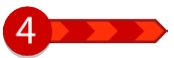 | Traffic speed is 0% to 20% of the allowed speed. |
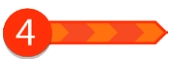 | Traffic speed is 20% to 40% of the allowed speed. |
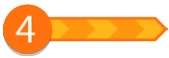 | Traffic speed is 40% to 100% of the allowed speed. |
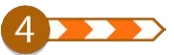 | Traffic speed is normal. |
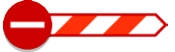 | Road closed, no traffic. |
Speed Camera warning symbols:
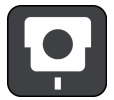 | Fixed speed camera is fixed at one place and checks the speed of passing vehicles. |
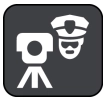 | Mobile speed camera can be moved to different locations and checks the speed of passing vehicles. |
 | Mobile speed camera hotspot is type of warning that shows places where mobile camera is often used. |
 | Average speed camera measures the average speed of between two points. You are warned at the start and the end of the average speed check area. In this check area, your average speed is shown on the route bar instead of current speed. |
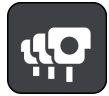 | Speed enforcement zones contain multiple speed cameras. You are warned at the start and end of this zone. Your current speed and visual warning are shown on the route bar. |
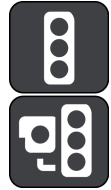 | Red light camera checks if the vehicle breaks the traffic rules at traffic lights. This has two types of traffic light camera – one checks if you are breaking the red light and other checks if you are breaking the red light with speeding. |
 | Traffic restriction is a warning type that warns you about restricted roads. |
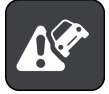 | Accident blackspot is a type of warning that shows a place with road traffic accidents. You are warned at the start and end of this accident blackspot. Your current speed and visual warnings are also displayed on the route bar. |
Danger zone and risk zone warnings in France:
The danger zones and risk zone warnings are given 10 seconds before you reach the zone.
 | Danger zone warning is only given in France. You are warned at the start and the end of the danger zone with a warning sound. |
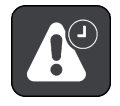 | Risk zone warning is only given in France. You are warned at the start and the end of the danger zone with a warning sound. |